
Unreal Engine integration
Launcher Forge Auth allows an Unreal Engine game to validate whether it was started from an authorized Launcher Forge session. When a player starts the game from the launcher:- Launcher Forge generates a temporary credential for that launch.
- The launcher starts the compiled executable and delivers the credential automatically.
- The plugin internally retrieves the credential supplied by the launcher.
- The plugin sends it to the validation endpoint.
- The backend returns
id,email, andvalid. - The game continues or blocks access according to the result.
Understand launch tokens
Validation flow
Direct plugin packages
Download Launcher Forge Auth for Unreal Engine
Manual installation
Manual installation places the plugin directly inside the project.Extract the package
LauncherAuthPlugin.zip package for your Unreal Engine version.Open the project directory
YourProject.uproject.Create the Plugins directory
Copy the plugin
Plugins.Expected structure:Regenerate project files
YourProject.uproject and select:Compile the project
YourProject.sln and compile the project again.Verify the plugin
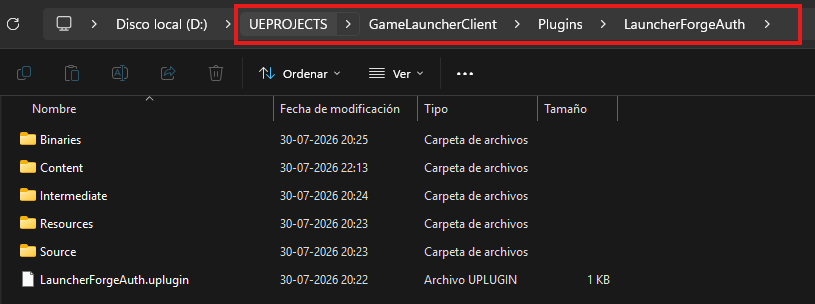
Plugin structure inside the project Plugins directory
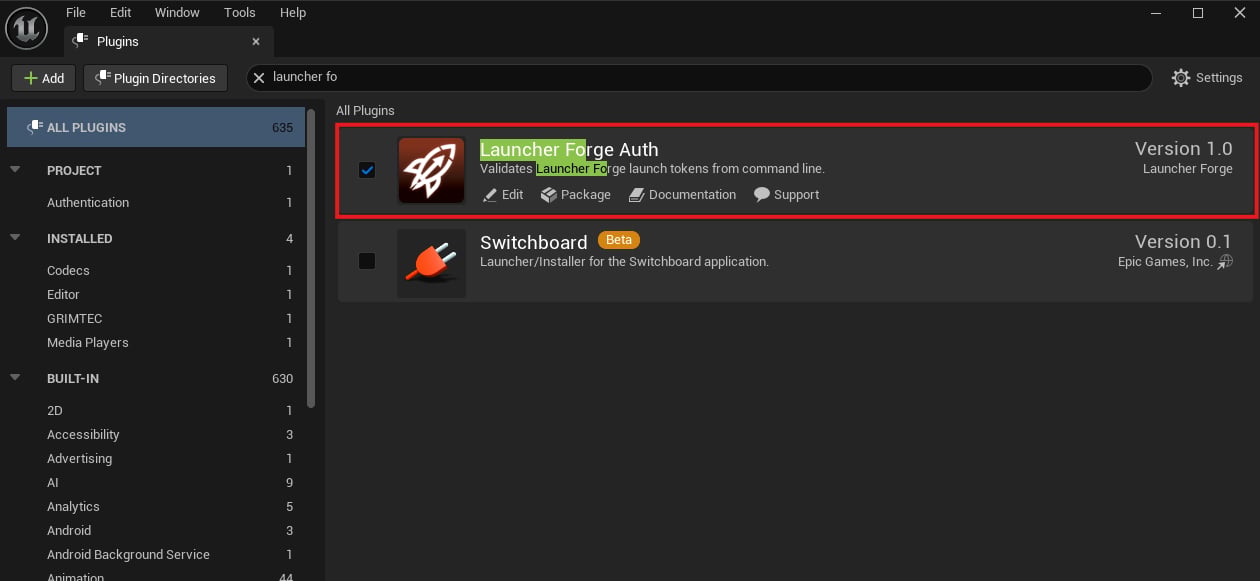
Launcher Forge Auth enabled in Unreal Engine
GameInstance configuration
The recommended place to start validation is a custom Blueprint based onGameInstance.
This validates the connection before loading:
- Player data.
- Online menus.
- Save games.
- Protected features.
- Systems that require a valid launcher connection.
1. Create and assign the GameInstance
Create the Blueprint
GameInstance.Name the class
Open Project Settings
Select the class
BP_GameInstance.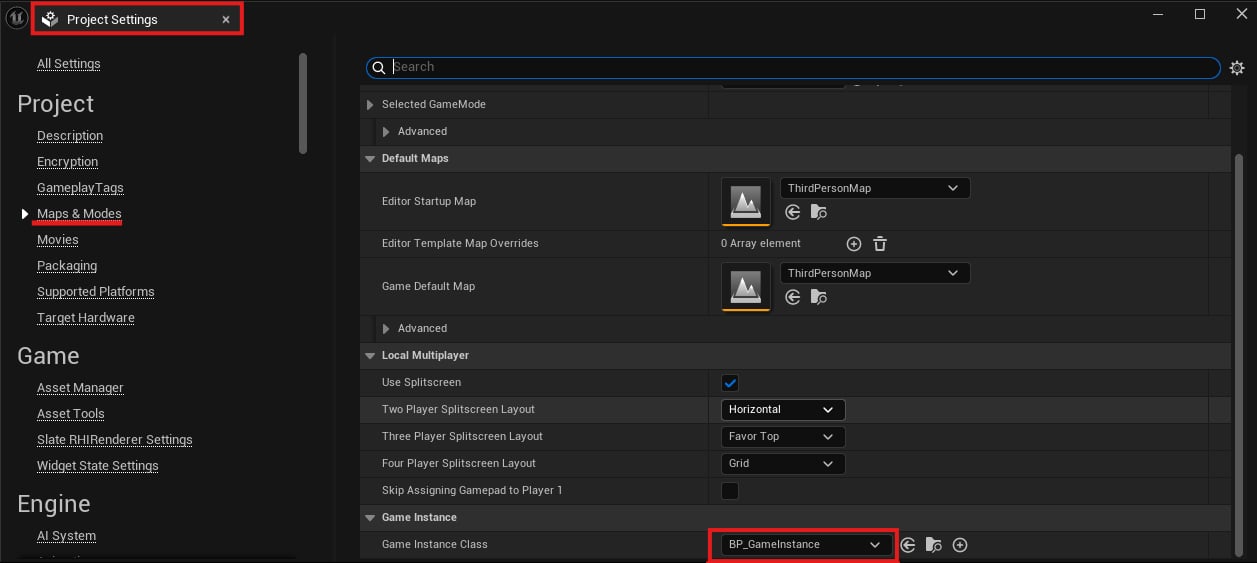
BP_GameInstance assigned in Maps & Modes
2. Configure Event Init
Inside theBP_GameInstance Event Graph, use:
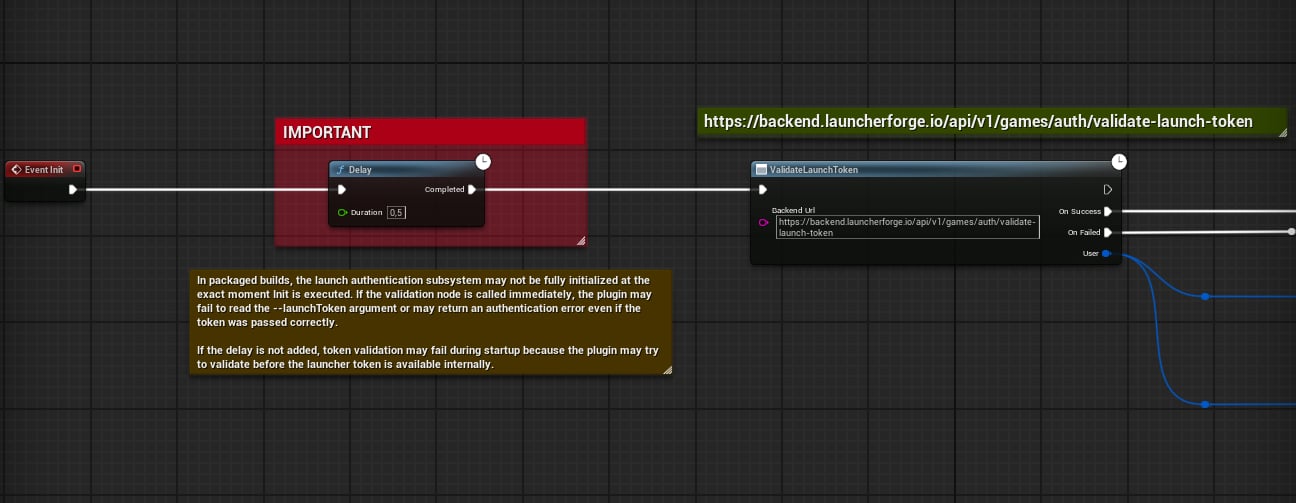
Event Init, Delay 0.5, and Validate Launch Token
Validate Launch Token node
The main plugin node is:Input
Output delegates
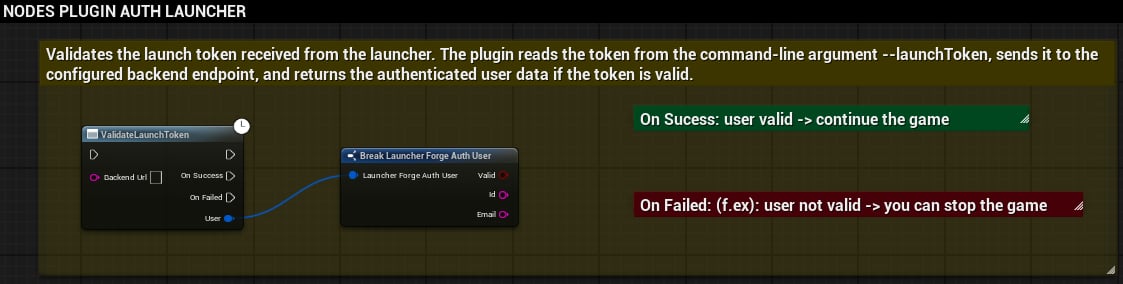
Main node and authenticated data
On Success
UseOn Success to:
- Confirm that
Validistrue. - Store or use
IdandEmail. - Continue to the main menu.
- Load account-specific data.
- Enable protected systems.
- Allow access to the game.
On Failed
UseOn Failed to:
- Display a controlled error.
- Block access.
- Ask the player to start the game from Launcher Forge.
- Return to an initial screen.
- Close the game gracefully.
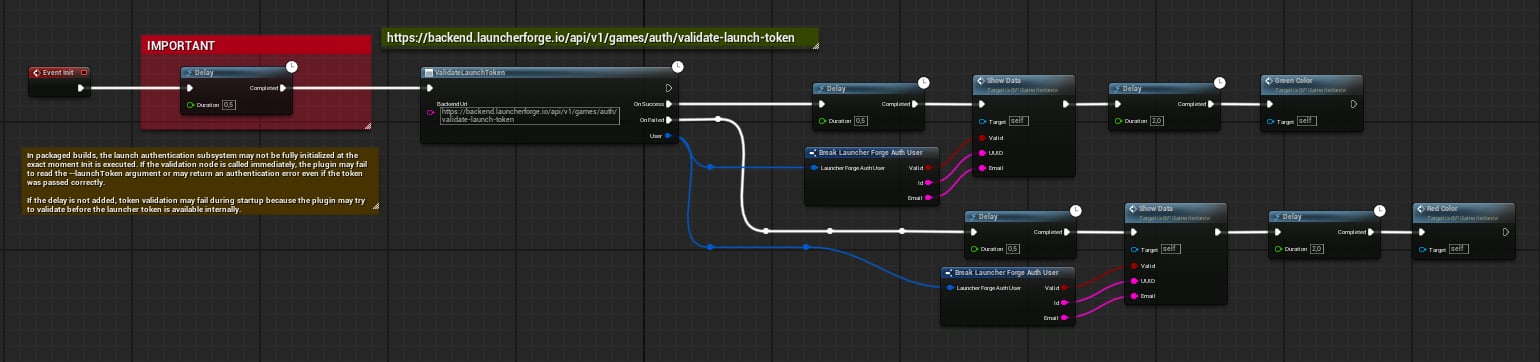
Complete Blueprint flow with success and failure branches
Automatic validation
Launcher Forge generates and delivers the temporary credential as part of the normal game launch. The developer must not:- Create credentials manually for testing.
- Store them in the project.
- Hardcode them in Blueprint or C++.
- Store them in configuration files.
- Display them in the user interface.
- Print complete values in production logs.
.exe directly does not reproduce a real validation.Internal plugin request
The plugin internally sends the credential to the backend using the contract expected by the validation endpoint:Expected response
Initial test inside the editor
Before packaging and linking the game to a launcher, you can confirm that the integration initialized by reviewing the Output Log. In this scenario, it is correct to see:- An empty token.
Length: 0.- A warning that the connection initialized but requires a valid token.
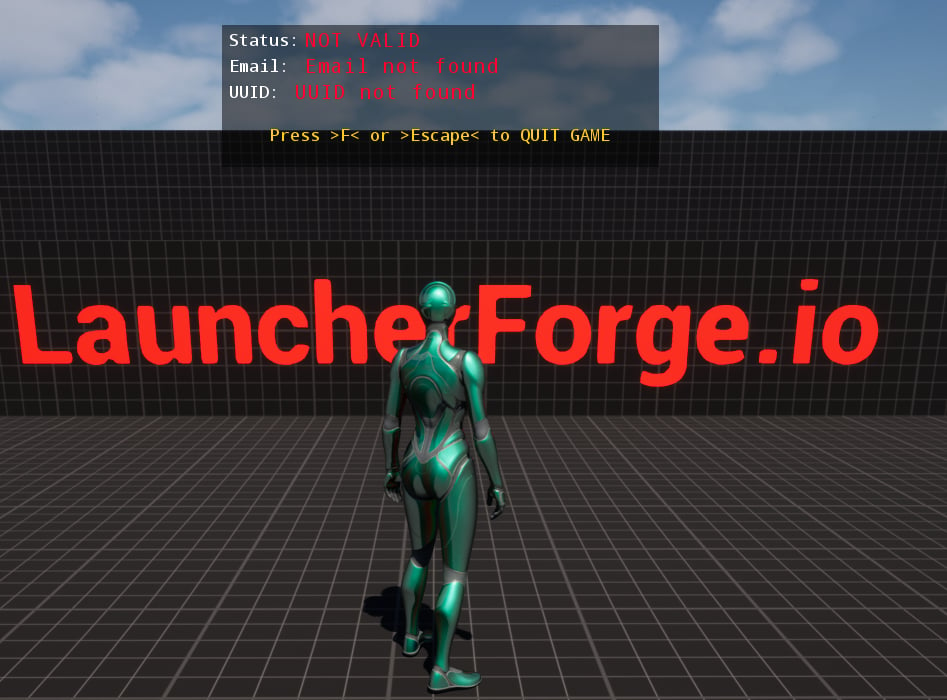
Invalid result before starting through the launcher

Output Log with an empty token in the editor
Test with a linked build
Complete validation must be tested with:- A packaged game.
- A published build.
- The game linked to the launcher.
- The executable started from Launcher Forge.
- A launch token generated during that startup.
Validistrue.Emailcontains the authenticated email.Idcontains the returned identifier.On Successruns.
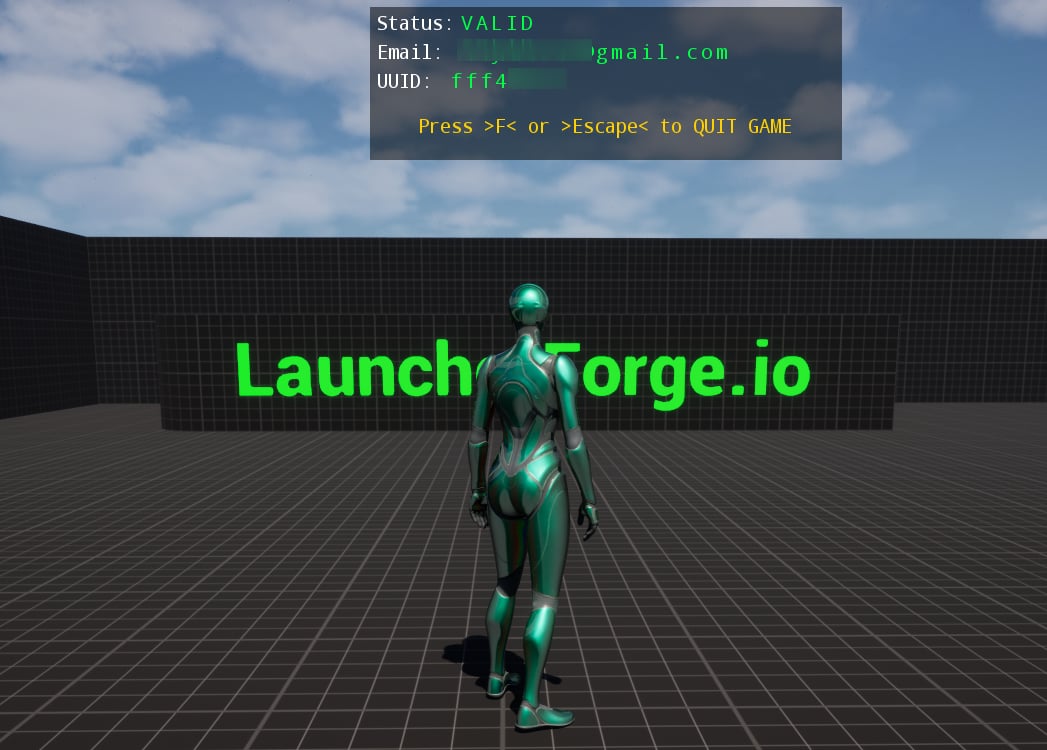
Authenticated game after launching through Launcher Forge
On Success.C++ usage
C++ projects can use the public plugin classes.Main classes
Recommended C++ flow
.cpp example
.h excerpt
UGameInstance class and the appropriate source files.GameLauncherClient sample project
The freeGameLauncherClient sample project targets Unreal Engine 5.5 and includes:
- The plugin.
- A configured GameInstance.
- The validation flow.
- A starting point for testing.
Download GameLauncherClient for UE 5.5
Troubleshooting
The node does not appear
The node does not appear
Plugins, is enabled under Edit → Plugins, and was compiled for the correct engine version.Length is 0 inside the editor
Length is 0 inside the editor
On Failed runs in the packaged build
On Failed runs in the packaged build
Backend Url points to the validation endpoint.The backend rejects validation
The backend rejects validation
- The build is linked to the launcher.
- The launcher uses the correct executable.
Backend Urlpoints to the validation endpoint.- The test is not being performed from the editor or by running the
.exedirectly.
The plugin was compiled for another engine version
The plugin was compiled for another engine version
Verification checklist
- The plugin is installed under
Plugins. - Launcher Forge Auth is enabled.
- The project was recompiled.
BP_GameInstanceis assigned under Maps & Modes.Event Inituses a0.5-second delay.Validate Launch Tokenuses the correct URL.On Successcontinues only whenValidistrue.On Failedblocks access in a controlled way.- No credential is manually created, entered, or reused.
- The plugin performs the validation request internally.
- The final test was completed from a linked build started through Launcher Forge.